An engineering materials & component library for Motorola's mobile-device teams — a single source of truth for tracking materials, inventory and scheduling, with deep physical properties across every engineering discipline.
Each material is described across four engineering disciplines — so structural, thermal and antenna engineers all work from the same record, each seeing the properties that matter to them.
🧩
General
Material class & name
Identifier & process
Part number & notes
Density & roughness
🏗️
Structural
Elastic modulus
Tensile strength
Poisson ratio
Yield strength
🌡️
Thermal
Fluid mol weight
Surface emissivity
Thermal behavior
📡
Antenna
RF / antenna traits
Discipline completion
Access-controlled data
The application
Search it, edit it, shape it to fit you
From a powerful material search to a tabbed editor and a drag-and-drop display designer, the app put engineers in control of their own data views. Click any screen to enlarge.
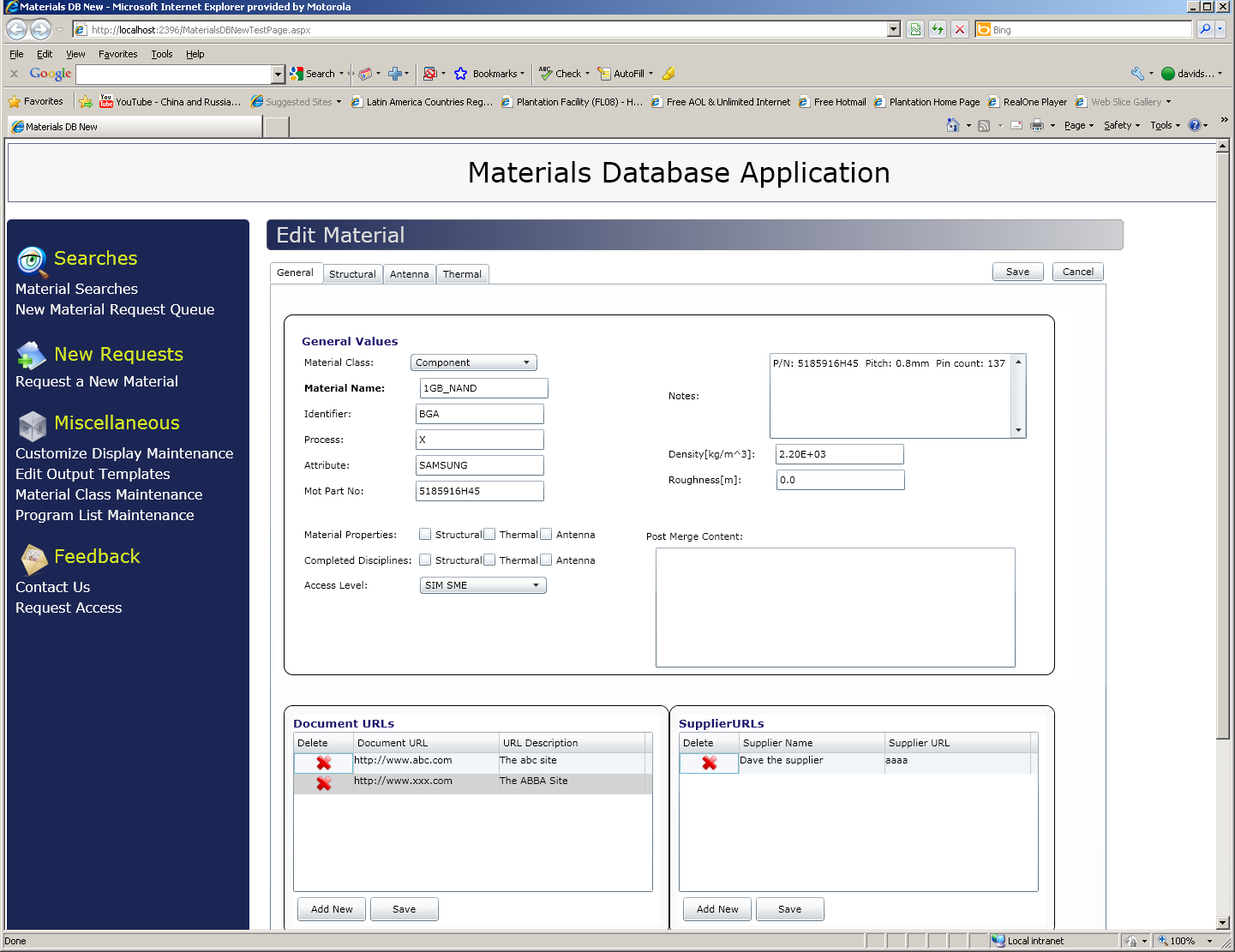
Edit Material
Edit Material · General / Structural / Antenna / Thermal
Tabbed material editor. Capture general values, per-discipline properties, access level, plus linked document and supplier URLs — all on one screen.
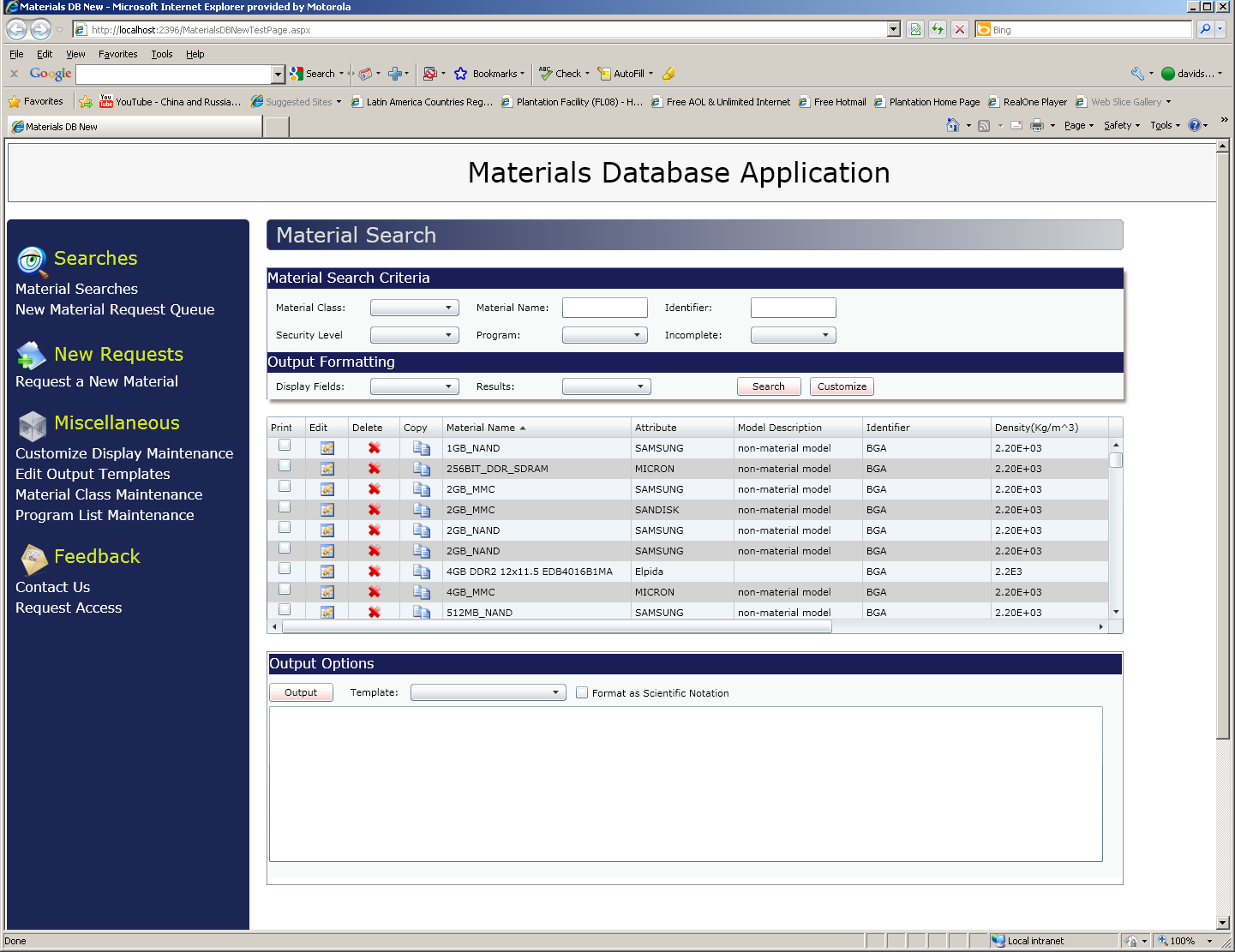
Material Search
Material Search
Powerful search. Filter by class, identifier, security level, program and completeness, then print, edit, copy or export results.
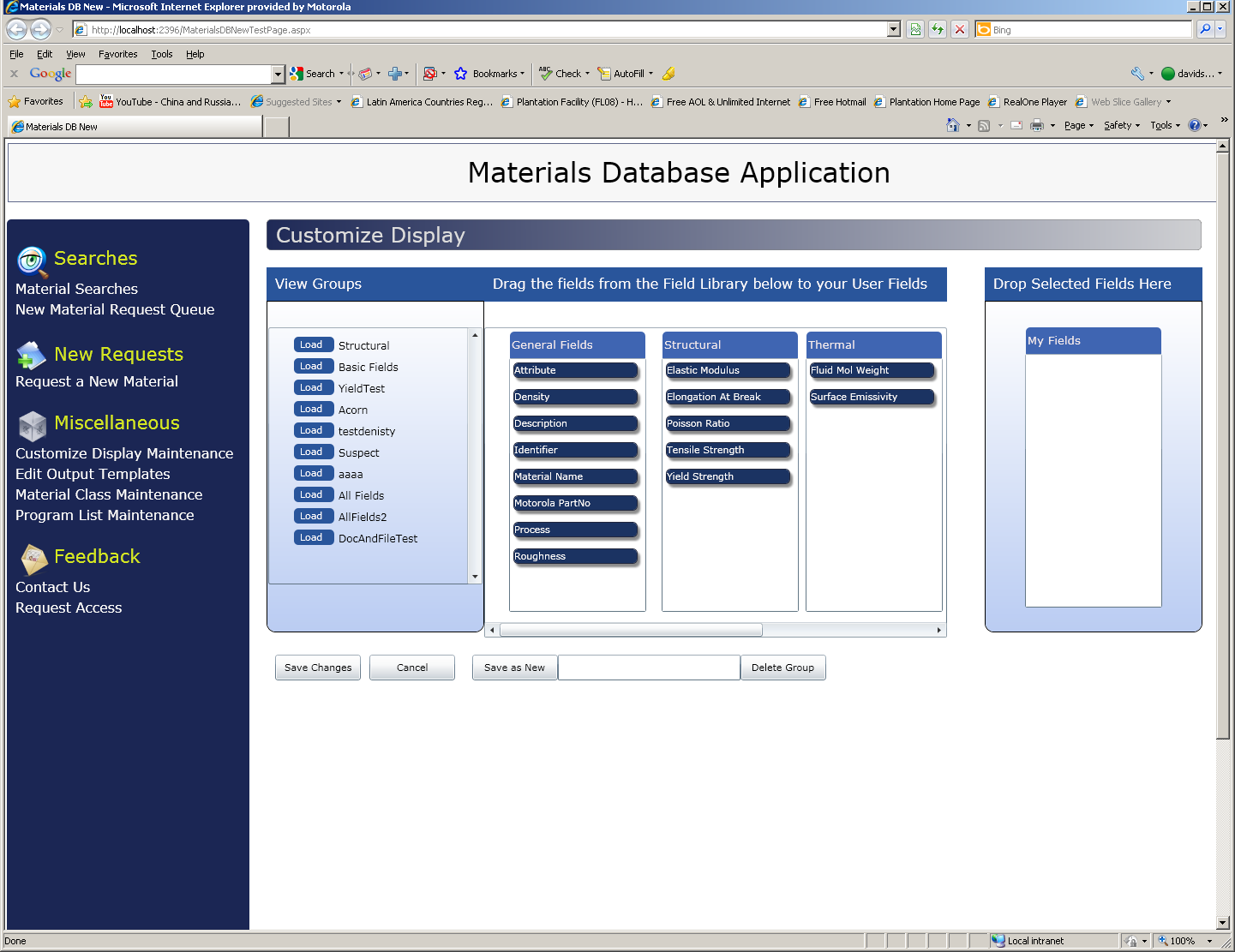
Customize Display
Customize Display
Drag-and-drop views. Build personal field groups by dragging from the field library — save, reuse and share custom layouts.
Capabilities
More than a table of parts
A real engineering tool — request, search, customize, template and govern.
🔎
Material search
Rich, multi-field search across class, identifier, program and security level with sortable, exportable results.
📝
New-material requests
A request queue lets engineers submit new materials for review and entry into the shared library.
🎛️
Customizable display
Drag-and-drop field groups let each user shape the data view to their discipline and workflow.
🧾
Output templates
Define and apply output templates — including scientific-notation formatting — for clean, consistent reports.
🔗
Document & supplier links
Attach document and supplier URLs to any material, keeping spec sheets and sourcing a click away.
🔐
Access & security
Per-material access levels and security keep sensitive engineering data with the right people.
Architecture & role
Built on the Silverlight LOB stack
I delivered the UI/UX and web development — a responsive, highly interactive engineering tool with drag-and-drop customization on a clean data layer.
Microsoft SilverlightMVVMWCF RIA ServicesDrag-and-Drop UISQL Server.NETUI/UX · Web Design · Web Development